
Next.js blog automation for faster indexing and AI search
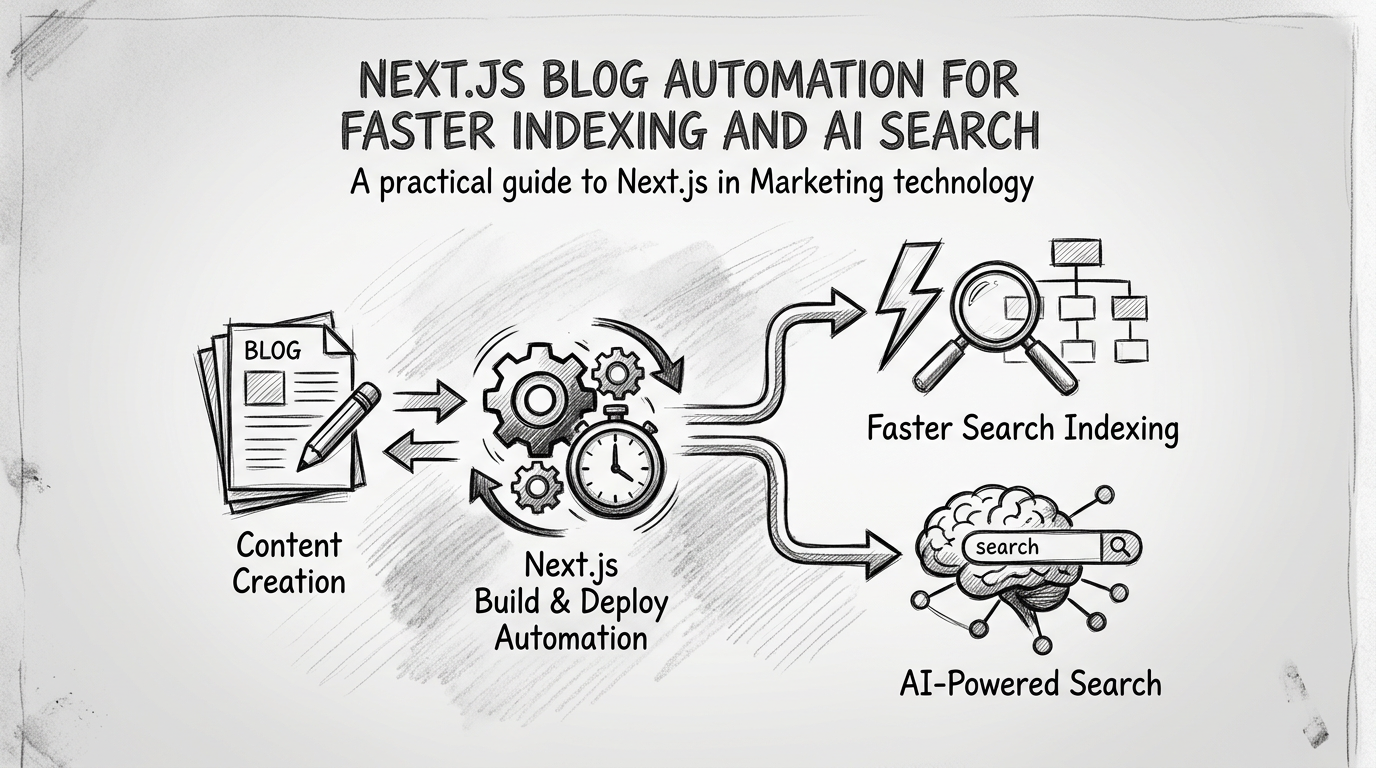
Your content is only as powerful as its ability to be found. If you run on Next.js, the right blog automation setup can turn publishing from a chore into a growth engine that boosts crawl frequency, rankings, and AI search presence.
This guide explains Next.js blog automation for founders and devs who want traffic without manual busywork. You will learn how to automate writing, publishing, sitemap updates, and llms.txt so posts index faster and surface in AI search. Key takeaway: wire automation to your CMS and build signals that search engines and AI systems trust.
Why Next.js blog automation matters for growth
Automating blog operations in a Next.js stack compresses time to publish and time to index while preserving code quality and performance.
Time to first draft becomes minutes
Manual drafting stalls consistency. With an automated pipeline, topics, outlines, and drafts are generated on demand so you can approve and schedule without losing momentum.
Consistency trains crawlers
Search engines reward predictable publishing. A weekly cadence, delivered automatically, encourages more frequent crawls and steadier ranking gains.
Dev velocity without content debt
Developers avoid ad hoc scripts or custom admin pages. Content automation plugs into existing Next.js routes and data sources, minimizing maintenance.
Core components of a Next.js blog automation stack
A solid stack covers content creation, scheduling, publishing, and discoverability.
Content generation and briefing
Feed your system a brand brief, target keywords, and competitor context. This produces on-voice drafts with structured headings and internal links that fit your site map.
Scheduling and approvals
Use a simple queue with statuses like Draft, Ready, Scheduled, and Published. Approvals can happen in your CMS or via a dashboard that pushes content to your repo or API.
Auto-publish to your Next.js site
Choose one of three paths: headless CMS, file-based content, or API-first. Each should trigger a build or ISR revalidation so new posts go live without manual steps.
Publishing patterns in Next.js that scale
Your publishing approach influences build times, stability, and SEO signals.
Headless CMS with ISR
Pair a CMS such as WordPress as headless or Shopify blog with Next.js Incremental Static Regeneration. Scheduled posts revalidate routes, keeping performance high.
File-based content with CI
Store Markdown or MDX in your repo. A bot or webhook opens a pull request for each new post. Merge triggers CI to build and deploy, preserving code review and changelog history.
API-driven routes with on-demand revalidation
Keep posts in a database and fetch at request time with caching plus on-demand revalidation. This reduces full builds and enables granular cache control.
Faster indexing with sitemap and recrawl automation
Indexing speed hinges on accurate URLs, structured metadata, and prompt search pings.
Generate and refresh sitemap.xml
Expose all canonical blog URLs with lastmod timestamps. Regenerate on each publish and surface hreflang if multilingual. Keep depth shallow and avoid orphan routes.
Ping search engines and submit new URLs
After publishing, programmatically submit updated sitemaps and ping search endpoints. Combine with on-page structured data for news or articles when relevant.
Winning AI search with llms.txt and structured FAQs
AI assistants parse more than HTML. Give them a clear, machine-readable contract.
llms.txt to define usage and priority
Host an llms.txt file that explains allowed use, preferred sources, and priority content like product guides and cornerstone posts. Link it from robots.txt for discovery.
Step by step: set up Next.js blog automation in one afternoon
These steps map a minimal viable automation that you can expand later.
1) Connect your site and scan content
Start by scanning your site to identify existing categories, internal link hubs, and gaps. Capture brand voice cues and competitor topics so new posts differentiate.
2) Generate and select ideas
Produce a backlog of ideas aligned to your products and search demand. Score by intent, difficulty, and potential internal links. Approve the next 8 to 12 topics to fuel a quarter of publishing.
3) Draft posts with structure built in
Create full posts that include H2 and H3 headings, keyword placement in the intro, internal links, meta titles, and descriptions. Keep reading time under 7 minutes when possible.
4) Schedule and auto-publish
Slot posts weekly or biweekly. Use your CMS scheduler or a pipeline that merges PRs on a defined cadence. Confirm that publishing triggers ISR or a rebuild.
5) Update sitemap and trigger recrawl
On publish, update lastmod for the post and index pages. Ping the sitemap endpoint and log status codes. Retry on failure to ensure freshness.
6) Maintain llms.txt and FAQ data
Refresh llms.txt when new cornerstone content ships. Attach compact FAQs to each post and validate JSON-LD. Track retrieval quality in AI assistants.
Comparing common approaches for Next.js teams
Use this table to choose a publishing pattern that matches your workflow.
| Approach | Best for | Pros | Cons | Build impact |
|---|---|---|---|---|
| Headless CMS + ISR | Non-technical editors | Easy scheduling, low friction | CMS sync complexity | Small route revalidations |
| File-based MDX + CI | Dev-centric teams | Full version control, reviews | Requires PR merges | Full or partial builds |
| API-first + revalidation | Mixed teams | Granular cache control, fast updates | Needs infra and ops | Minimal, targeted revalidation |
Metrics that prove Next.js blog automation is working
Track a short list of indicators that tie directly to revenue outcomes.
Crawl and index velocity
Measure time from publish to first crawl and to first index. Aim for same-day crawling and indexing within 24 to 72 hours after launch.
Coverage and errors
Watch Google Search Console for coverage status, soft 404s, and canonicalization conflicts. Fix template or routing bugs that create duplicates.
Ranking movement and intent fit
Monitor top queries, click through rates, and average position. Validate that posts map to transactional or high-intent informational keywords.
Internal link flow
Check that new posts receive links from categories and cornerstone content. Use link modules in templates so every post gets baseline authority.
Tooling to streamline the entire workflow
A good tool should remove manual steps from idea to indexation.
What to look for in an automation platform
- Site scanning to tailor topics and voice
- Competitor-aware briefs and outlines
- Full draft generation with SEO structure
- Scheduling with native auto-publish
- Sitemap updates and search pings
- llms.txt and FAQ schema support
Where Side Hustle Tool fits
Side Hustle Tool automates the full pipeline for Shopify, WordPress, and Next.js. It scans your site, generates ideas, writes SEO posts in your brand voice, schedules and auto-publishes, updates sitemaps, pings Google, and adds llms.txt plus structured FAQs. For solo founders and side hustlers, it removes agency costs and manual CMS work while keeping you in control of topics and cadence.
Implementation blueprint for Next.js
Follow this blueprint to integrate automation without refactoring your app.
Routes and data sourcing
- Keep blog at /blog with static category and tag pages
- Use getStaticProps with ISR for posts and listings
- Maintain a content index to drive internal linking and sitemaps
Metadata and schema
- Generate unique meta titles and descriptions per post
- Add Article and FAQPage JSON-LD when applicable
- Ensure canonical tags point to the primary route
Performance checks
- Optimize images with next/image and AVIF or WebP
- Limit client JS on post pages to essentials
- Preload critical fonts and CSS for first contentful paint
Governance and quality controls
Automation needs guardrails so quality stays high as volume scales.
Editorial standards
Create a checklist for claims, sources, tone, reading level, and internal links. Require at least one product or category link per post when contextually relevant.
Version control and rollbacks
If using file-based content, enforce PR reviews. If using CMS or API, keep an audit trail and add a one-click revert to the previous revision.
Accessibility and compliance
Validate heading order, alt text, color contrast, and consent for analytics tags. Include clear disclosure for affiliate links when used.
Common pitfalls and how to avoid them
Learn from patterns that frequently hold teams back.
Thin or duplicate content
Avoid spinning near-identical posts around the same query. Consolidate and redirect to a single strong URL with a comprehensive guide.
Orphan pages and weak internal links
Automate module-level links from categories and recent posts. Add related reading sections that prioritize cornerstone content.
Neglecting recrawl signals
Publishing without updating the sitemap or pinging search engines can delay indexing by days. Automate both and monitor for failures.
Security and reliability considerations
Your content pipeline should be safe and observable.
Secret and token management
Store CMS, Git, and API tokens in your platform’s secret manager. Rotate keys regularly and scope permissions to the least required.
Observability and alerts
Log every publish event, sitemap update, and ping. Alert on failed builds, revalidation errors, or indexing anomalies so you can fix issues quickly.
Roadmap for continuous improvement
Treat your blog as a product with iterative enhancements.
Content operations
Quarterly refreshes of top posts, adding FAQs and updated stats. Build a playbook for repurposing into email and social without hurting SEO.
Technical SEO
Add hreflang for international sites, manage pagination with rel tags, and test structured data with live results testing.
Key Takeaways
- Next.js blog automation reduces time to publish and time to index
- Sitemap updates, pings, and schema accelerate discoverability
- llms.txt and FAQs boost AI search visibility and answer quality
- Choose a publishing pattern that fits your team and triggers ISR or revalidation
- Side Hustle Tool can automate the full pipeline for solo founders
Automate the boring parts so your best ideas ship on schedule and get found fast.
Frequently Asked Questions
- What is Next.js blog automation?
- A workflow that automates drafting, scheduling, publishing, sitemap updates, and search pings so posts go live and index faster with minimal manual work.
- How does llms.txt help with AI search?
- llms.txt gives AI systems clear guidance on preferred sources and allowed usage, improving the odds your cornerstone content is fetched and cited accurately.
- Do I need a headless CMS to automate?
- No. You can automate with a headless CMS, file-based MDX plus CI, or an API-first store with on-demand revalidation in Next.js.
- Will automation hurt content quality?
- Not if you add guardrails. Use briefs, editorial checks, and internal links. Automate drafts and publishing while keeping human approvals.
- How quickly should new posts index?
- With proper sitemap updates and pings, aim for same-day crawl and indexation within 24 to 72 hours. Timelines vary by domain authority and cadence.
Want this for your side hustle?
AutoBlogWriter writes, optimizes, and publishes blogs like this one automatically. 3-day free trial, no credit card needed.
Start Free Trial →