
How to set up Next.js blog automation with auto publish and AI search
Side projects thrive when content ships itself. If you run a Next.js site, Next.js blog automation lets you auto publish posts on a schedule, keep your sitemap fresh, and surface answers in AI search with llms.txt and structured FAQs.
In this guide, you will connect a Next.js app to an automated SEO blogging workflow, wire up webhooks for auto publish, configure sitemap updates, and add llms.txt and FAQ schema for AI search. The key takeaway: put your publishing on rails so you spend time building, not blogging.
What is Next.js blog automation and why it matters
Next.js blog automation is a workflow that generates, schedules, and publishes SEO blog posts without manual editing in your CMS. It combines an AI writer, scheduling, webhooks, and indexing signals so your site gets consistent updates.
Benefits for side hustlers and small teams
- Consistency without calendar fatigue
- Faster indexing via sitemap updates and pings
- Better topic focus with competitor aware ideas
- Less copy paste work thanks to native integrations
Core pieces of the workflow
- Content generation in your brand voice
- Scheduling plus auto publish via API or webhooks
- Sitemap.xml auto update and recrawl triggers
- AI search support using llms.txt and FAQ schema
Architecture overview for a Next.js integration
Before wiring code, it helps to see how the pieces work together in a standard Next.js deployment on Vercel or a similar host.
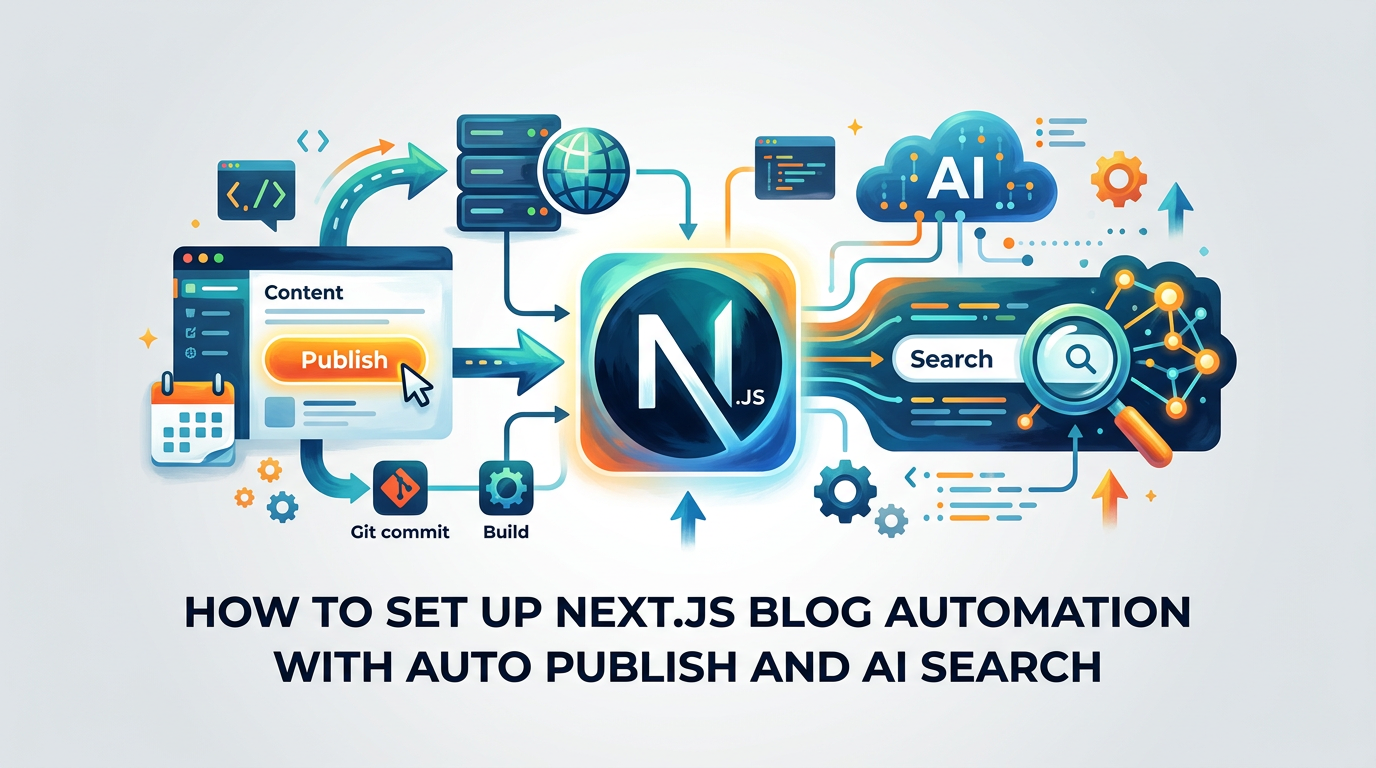
High level data flow
- The AI platform scans your site and proposes topics.
- You approve ideas and set a cadence.
- On schedule, the platform sends a webhook with post payload.
- Your Next.js app creates or updates content and rebuilds pages.
- A sitemap route updates, and search engines get notified.
Components in your codebase
- API route to receive publish webhooks
- Persistence layer for posts (filesystem, DB, or headless CMS)
- Dynamic routes to render posts with SEO metadata
- Sitemap and RSS routes that reflect new content
Step by step: connect, configure, and publish
This section walks you through a minimal but solid implementation using a filesystem store. You can swap in a CMS later without changing the webhook surface.
1) Prepare Next.js routes for content
- Create a dynamic route at app or pages for posts, for example pages/blog/[slug].tsx.
- Add Open Graph and meta tags derived from frontmatter or DB fields.
- Ensure incremental static regeneration or revalidate for fresh content.
2) Add a storage method for posts
- Filesystem: store Markdown or MDX in content/posts with frontmatter.
- Database: use Prisma with a Posts table for title, slug, body, summary, tags, publishedAt.
- Headless CMS: expose a write API that your webhook handler can call.
3) Implement the publish webhook
- Create pages/api/autopublish.ts to accept POST requests from your blog automation tool.
- Validate a shared secret header and verify payload shape.
- Write the post to storage, return 200, and trigger a revalidation.
4) Enable auto revalidation
- With Next.js App Router, call revalidatePath or revalidateTag after writing content.
- If using the Pages Router, hit a separate on demand revalidation endpoint.
- Confirm that /blog and /blog/[slug] get refreshed on publish.
5) Schedule and test
- In your automation tool, set weekly or biweekly cadence.
- Approve a post idea and trigger a manual publish to test.
- Verify the post renders with correct canonical URL and meta tags.
Auto publish mechanics for Shopify, WordPress, and Next.js
If you mix platforms or migrate over time, know how each handles auto publishing so your stack stays consistent.
Where Next.js differs
- Next.js expects code level integration via routes and revalidation.
- You control the data layer and can optimize reading speed.
- No plugin bloat, but you must implement webhook logic.
Cross platform comparison
Below is a quick comparison of auto publish paths across common stacks.
This table compares how auto publishing typically works by platform.
| Platform | Publish Method | Setup Time | Notes |
|---|---|---|---|
| Next.js | Webhook plus API | Low | Code control and revalidation |
| Shopify | App or API write | Low | Publishes to Online Store blog |
| WordPress | REST API or XML-RPC | Low | Posts land as draft or publish |
Keep Google in the loop with sitemap automation
Search engines find content faster when your sitemap is accurate and referenced in robots.txt. Automation keeps it current with zero manual work.
Building a sitemap route in Next.js
- Implement pages/sitemap.xml.ts or an app route that generates XML from stored posts.
- Include lastmod dates and absolute loc URLs.
- Cache lightly and revalidate when posts change.
Triggering recrawls politely
- Ping major search engines with your sitemap URL after publish.
- Ensure robots.txt lists Sitemap: https://yourdomain.com/sitemap.xml.
- Avoid excessive pings by batching if multiple posts go live.
Make your content AI search ready with llms.txt and FAQs
AI search surfaces short, structured answers. Two simple artifacts improve your chances of being included without changing your writing style.
What is llms.txt and where to place it
- llms.txt is a plain text file at your root that guides AI agents on how to use your content.
- Include preferred attribution, allowed paths, and your FAQ index.
- Link it from robots.txt so crawlers can discover it.
Add FAQ schema for high intent answers
- Create a JSON-LD block on posts that include Q and A content.
- Keep each answer concise and specific to the post topic.
- Validate with a structured data testing tool before deploying.
Security, performance, and governance
Automation can only help if it is safe and observable. Lock down endpoints and add logs before you scale cadence.
Secure the webhook path
- Require an HMAC or signed token header and rotate secrets periodically.
- Only accept JSON and reject oversized bodies.
- Rate limit the endpoint to prevent abuse.
Keep performance predictable
- Use streaming or incremental static regeneration for quick builds.
- Defer heavy transforms to background jobs.
- Precompute reading time, summaries, and preview images.
Practical example: minimal webhook and revalidation
Below is a simplified outline to illustrate the moving parts. Adapt names to App or Pages Router as needed.
Example flow
- Receive POST /api/autopublish with title, slug, summary, body, tags, publishedAt.
- Write to content/posts/slug.mdx with frontmatter.
- Call revalidatePath('/blog') and revalidatePath(
/blog/${slug}). - Return 200 JSON with { ok: true }.
Testing checklist
- Does the new route render within seconds of publish?
- Do sitemap.xml and RSS include the new URL and date?
- Are canonical, og:title, and og:image correct?
Troubleshooting common pitfalls
Even good setups can miss details. Use this section to quickly diagnose the usual suspects.
Posts do not appear after webhook
- Check secret validation and HTTP 2xx status from your endpoint.
- Confirm write permissions to your storage path or DB.
- Ensure revalidation calls match your router mode.
Sitemap not updating
- Verify the sitemap route reads from the same source of truth as posts.
- Confirm caching headers and revalidate intervals.
- Manually fetch /sitemap.xml to inspect URLs and dates.
Advanced options for larger sites
When your content volume grows, small improvements compound into big time savings and better UX.
Tag based revalidation
- Use cache tags so only relevant pages rebuild on publish.
- Group by collection like blog, docs, or category.
Preview and moderation
- Add a preview token that renders unpublished drafts.
- Insert a human approval step without blocking the schedule.
Tooling options and when to use them
You can roll your own generator plus webhook code, or adopt a platform that handles scanning, ideas, writing, and scheduling so you keep only the final review.
Build vs buy at a glance
This table compares typical tradeoffs between custom code and an automation platform.
| Option | Time to value | Ongoing effort | Strengths | Fits best for |
|---|---|---|---|---|
| Custom pipeline | Medium | Medium | Full control, bespoke behavior | Teams with dev capacity |
| Automation tool | Fast | Low | Ideas, writing, scheduling | Solo founders and side hustles |
Next.js blog automation checklist
Use this short list to confirm you are production ready before you set and forget your schedule.
Pre launch
- Webhook endpoint secured and tested with sample payloads
- Posts render with correct SEO and structured data
- Sitemap route updated and robots.txt references it
Post launch
- Schedules set to a sustainable cadence
- Analytics tracking for blog traffic and conversions
- Alerts for webhook failures and non 2xx responses
Key Takeaways
- Automate your Next.js blog with webhooks, scheduling, and revalidation.
- Keep indexing fast using a live sitemap and polite pings.
- Improve AI search visibility with llms.txt and FAQ schema.
- Start simple on filesystem or a headless CMS, then scale with tags and previews.
Set it up once and let consistent posts compound while you focus on building your product.
Frequently Asked Questions
- What is Next.js blog automation?
- A workflow that generates, schedules, and auto publishes posts to a Next.js site using webhooks, revalidation, sitemap updates, and optional AI writing tools.
- Do I need a CMS to auto publish in Next.js?
- No. You can store posts as files or in a database. A webhook writes content and Next.js revalidates routes. A headless CMS is optional for editorial workflows.
- How do I keep Google updated after each publish?
- Serve a live sitemap.xml that updates from your post store and ping search engines with the sitemap URL. Reference it in robots.txt for easy discovery.
- What is llms.txt used for?
- It is a plain text file that guides AI agents on how to use your content. Place it at the site root and link it in robots.txt to improve AI search visibility.
- Is auto publishing safe?
- Yes if you secure webhooks with signed headers, limit payload size, rate limit the route, and log requests. Rotate secrets regularly and monitor failures.
Want this for your side hustle?
AutoBlogWriter writes, optimizes, and publishes blogs like this one automatically. 3-day free trial, no credit card needed.
Start Free Trial →